Ship The Cargo November 2026 Update Watch
Verified launch facts, how to confirm what changed, and which Ship The Cargo wiki pages to recheck after each bump.
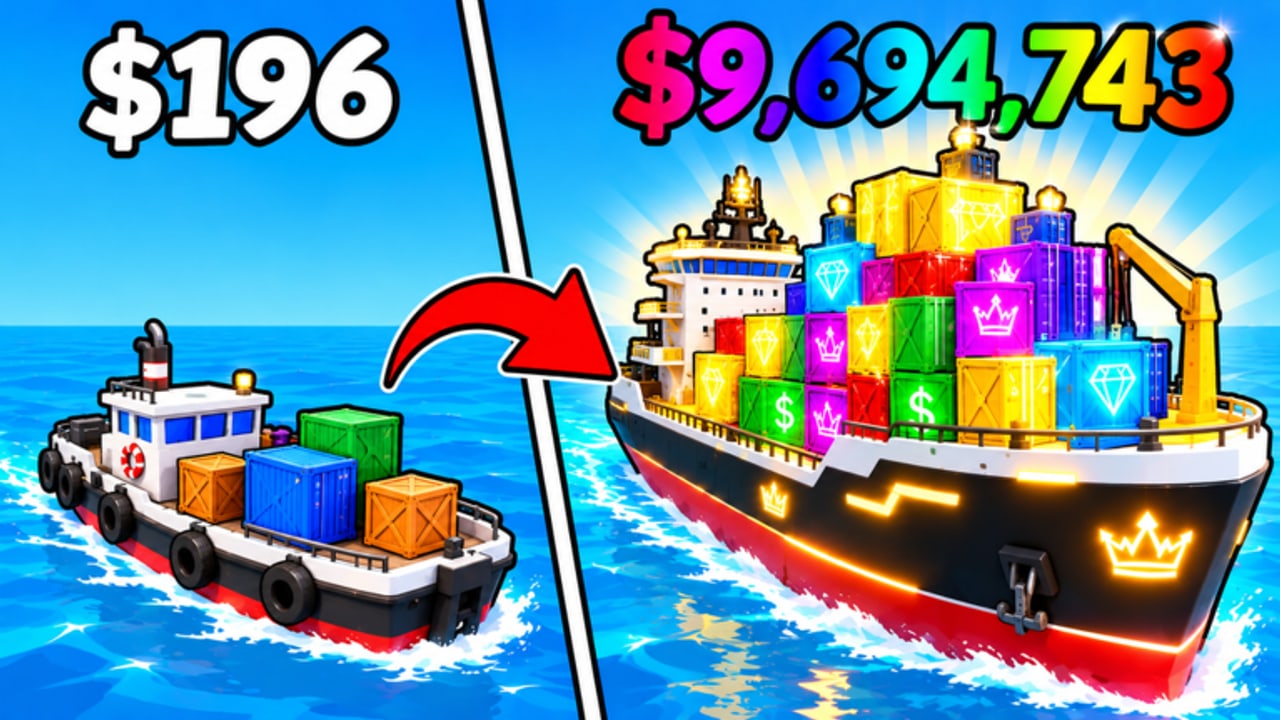
This page is the November 2026 update watch for Ship The Cargo—not a fabricated changelog. Big Boat Small Boat’s free Roblox Simulation / Tycoon keeps evolving after launch, and players need a calm way to separate verified facts from rumor. Use this watch alongside the parent Updates Hub, then chain into Codes, Tier List, and the Guides Hub when something meaningful shifts.
Verified snapshot (as of this writing)
Treat the table below as the only hard claims on this page. Everything else teaches how to verify—not invented patch lines.
| Fact | Detail |
|---|---|
| Release date | 2026-10-07 |
| Recent platform signal | Roblox experience Updated timestamp observed around 2026-11-10 |
| Visits | About 2.3M+ |
| Favorites | About 15K+ |
| Like ratio | Strong, about 96% |
| Creator group | Big Boat Small Boat, about 43K members |
| Promo codes | No verified public promo codes as of this writing |
| Access | Free-to-play · Desktop, Console, Mobile, Tablet · up to 12 players per server |
Visit and favorite counts move daily. Re-check the official Roblox experience page and the Big Boat Small Boat group when you need live numbers. Do not treat social screenshots as proof of a nerf or buff.
What this page will not do
- Invent economy tables, boat stat dumps, or “secret” November patch notes.
- List fake codes, Discord-only drops without confirmation, or script “fixes.”
- Claim a feature changed because a viral clip said so.
If developers publish a detailed note later, replace rumor with dated, observable entries on the Updates Hub and refresh this watch. Until then, your job is verification discipline.
How to verify what actually changed
Run this checklist whenever the Roblox Updated field moves—or whenever chat insists “everything is different.”
1. Official surfaces first
- Open the experience page and note the Updated timestamp and any description edits.
- Skim the Big Boat Small Boat group wall / shout for announcements.
- Join a fresh server and look for in-experience banners, new buttons, or tutorial tip changes.
- Only then trust third-party videos—and still confirm in your own client.
2. Economy signals
Play one short diagnostic voyage (Green or Yellow risk from the Cargo Run Planner) and ask:
- Do pickup payouts or sell prices feel different on familiar cargo?
- Did shipyard node costs shift relative to a full hold you know well?
- Is early progression faster, slower, or unchanged?
Log feelings as feelings until you can reproduce them twice. Then re-read how to make money and boat upgrades before dumping a large stash.
3. Hazard signals
On the same diagnostic run, watch storms, obstacles, and other sea dangers:
- Intensity up, down, or same versus last week?
- New VFX or audio that might hide a mechanical change?
- Abort thresholds you used last month still valid?
Cross-check with survive ocean dangers. A scarier ocean can demote yesterday’s Red Premium plan overnight—even if boat stats look identical.
4. UI and controls signals
Patches often move buttons without rewriting the core loop:
- Codes / shop / upgrade panels relocated?
- Mobile or Console prompts changed?
- New onboarding tips for first-time captains?
Update your muscle memory with controls and how to redeem codes if UI shifted. Code status may still be empty—see Codes Hub—but the redemption path can still move.
5. Boat and upgrade signals
After the diagnostic:
- Re-open boat tier list and upgrade priority tier list.
- Ask whether your Coastal Hauler / Ocean Runner / Heavy Cargo role still matches the ocean you just sailed.
- Buy at most one breakpoint after a patch until scores stabilize—use the Session Debrief if you need a scoring ritual.
Wiki pages to recheck after a November bump
Use this as a hard checklist whenever Updated moves again in November 2026 or later:
- Codes Hub — Confirm whether any public promo finally appeared (status may remain “none verified”).
- Tier List Hub — Refresh Boats and Upgrades assumptions.
- Guides Hub — Especially how to make money, how to deliver cargo, survive ocean dangers, boat upgrades, and getting started.
- Updates Hub — Add a dated personal note using the hub’s template.
- Tools Hub — Re-run planner + debrief so risk bands still match live hazards.
- Players Hub — Population and dock etiquette pressure can change with visit spikes.
Personal log template (copy this)
Date: YYYY-MM-DD
Source: Roblox Updated timestamp / group wall / in-game banner
Observed: economy · hazards · UI · boats (pick any that apply)
Reproduced? yes / no / once only
Wiki follow-ups: codes · tier lists · money · survival · tools
Next session plan: Green/Yellow/Red + Safe/Balanced/Premium
Filled example (illustrative method only—not a claimed patch):
Date: 2026-11-10
Source: Updated timestamp on experience page
Observed: no confirmed economy rewrite in one Yellow diagnostic; UI unchanged on Desktop
Reproduced? n/a (no mechanical claim yet)
Wiki follow-ups: codes checked → still none verified; tier lists unchanged pending more data
Next session plan: Yellow + Balanced
Rumor control on a busy game
With multi-million visits, a high like ratio, and a large creator group, November chatter will outrun facts. Filter hard:
- Codes — only Codes Hub + official Roblox / group channels. Generators are scams.
- “Dupe / script” claims — ignore; see Scripts Hub for why unauthorized tools risk the account.
- Meta flips — require your own diagnostic voyage plus tier-list re-reads, not a single clip.
Ship The Cargo’s core loop—deliver, survive, sell, upgrade—has been stable since the 2026-10-07 launch. November activity means stay alert, not panic-spend.
Related reading
Bookmark this November 2026 watch, re-open it when the Updated timestamp moves, and let verified play—not invented notes—decide your next upgrade.
Frequently Asked Questions
Quick answers to the most common questions.
When did Ship The Cargo release?
Ship The Cargo released on 2026-10-07 as a free Roblox Simulation / Tycoon by Big Boat Small Boat.
What November 2026 facts are verified on this page?
An experience Updated timestamp around 2026-11-10, roughly 2.3M+ visits, 15K+ favorites, a strong ~96% like ratio, ~43K Big Boat Small Boat group members, and no verified public promo codes as of writing.
Why are there no detailed November patch notes here?
This watch only records verified facts and teaches how to confirm economy, hazard, UI, and boat changes yourself. Invented changelogs would mislead captains.
Which wiki pages should I recheck after an update?
Recheck Codes, Tier List (boats and upgrades), money/delivery/survival guides, the Updates Hub log, and Tools planner/debrief pages after the Roblox Updated timestamp moves.
Are there promo codes in November 2026?
As of this writing there are no verified public promo codes. Always confirm on the Codes Hub and official Roblox or group channels before trusting random lists.
How do I confirm a rumor that boats were nerfed?
Check the official Updated timestamp and group wall, run one short diagnostic voyage, reproduce the feeling twice, then revisit the boat and upgrade tier lists before changing your spend plan.